

How to Build an AI Agent for Your Business: A Practical Guide (2026)
AI agents are no longer a future-facing experiment. Businesses across industries are using them to handle real workflows right now, and the teams moving fastest are not necessarily the most technical. They are just the ones who started with the right questions.
This guide walks you through how to build an AI agent that actually holds up in a business environment. You will find a platform comparison, a step-by-step tutorial, the three architecture patterns worth knowing and the basics of keeping a production agent secure and governable.
Start With the Problem, Not the Platform
The most common reason AI agent projects fail early is that teams fall in love with a tool before they have defined what they need it to do. Do not do that.
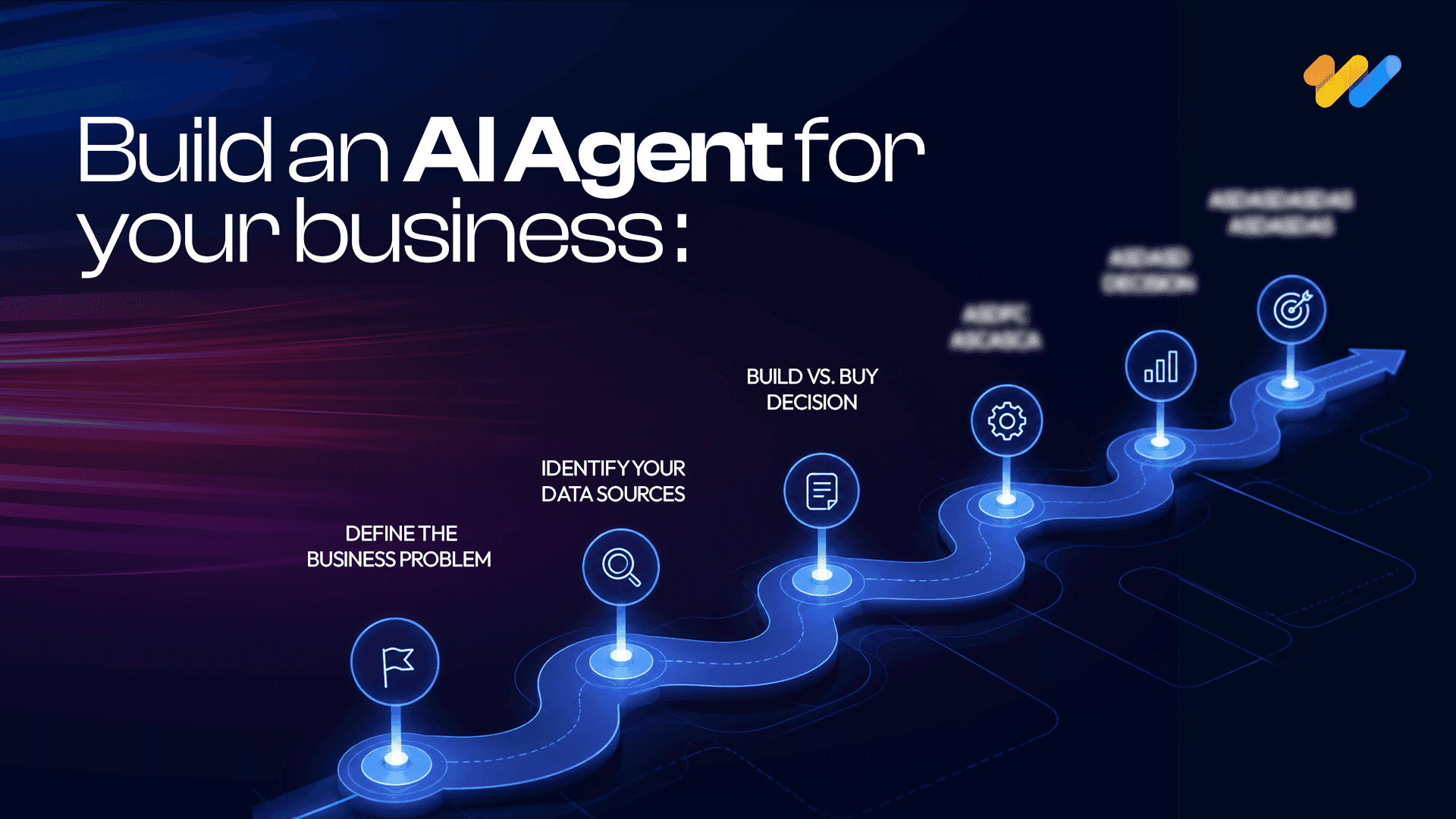
Before you open any AI agent builder, write one sentence describing the exact task the agent will own. Then answer these:
- Who currently does this task and how long does it take?
- What does success look like once it is automated?
- Is the task repetitive, rules-driven or data-intensive?
- What data sources does the agent need to access?
- Do you have API access to those sources?
- Is any of that data sensitive or regulated?
If you cannot answer these cleanly, you need a scoping week before a build week. Five days of clarity will save months of rework.
Choosing the Right AI Agent Builder
The platform market in 2026 has matured significantly. The differences between the top options are less about raw capability and more about fit with your existing stack.
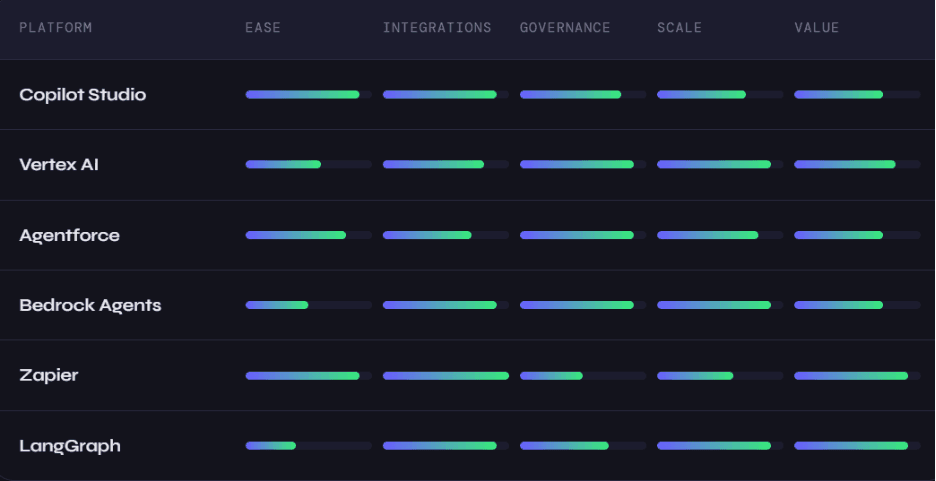
Microsoft Copilot Studio is the fastest path for teams already running on Microsoft 365. The connector library is massive and Azure's security model satisfies most enterprise compliance requirements without much additional configuration.
Google Vertex AI Agent Builder is purpose-built for data-heavy workloads. If your agents need to query BigQuery, process documents or integrate with Google Search, this is the obvious choice for teams on Google Cloud.
Salesforce Agentforce sits inside the Salesforce trust layer. If your core business runs on Salesforce, the integration depth here is hard to match elsewhere.
AWS Bedrock Agents gives engineering teams the most flexibility in the AWS ecosystem. The governance controls via IAM and CloudTrail are excellent but you will need real engineering resources to get there.
Zapier AI Agents is the easiest no-code AI agent option available today. With over 7,000 app integrations, you can connect almost any tool your business already uses and have something running in under a day.
LangGraph is the choice for developers who want complete control. It handles multi-agent coordination, cyclical reasoning graphs and complex state management better than any other open-source framework. LangSmith adds first-party observability on top.
The honest decision rule: if 80 percent or more of your use case is covered by a no-code platform and you do not have in-house developers to spare, start there. If deep customization is essential or your use case requires sophisticated agent-to-agent coordination, invest in LangGraph or Bedrock from the beginning.
Building Your First Agent: A Step-by-Step AI Agent Tutorial
We will use a customer support triage agent as the example. The agent reads incoming support emails, classifies them by urgency and topic, drafts a response and routes the ticket to the right team in your helpdesk. This scenario transfers directly to dozens of other business contexts.
Step 1: Write a precise objective
Vague objectives produce broken agents. Before opening any tool, write this out in plain language. For example: "When a new support email arrives, the agent reads the body and subject, classifies the issue as billing, technical, account access or general, assigns a priority from one to three based on keywords and customer tier, drafts a personalized response and creates a Zendesk ticket with the correct tags."
Notice that issue types are defined. Priority levels are defined. The expected output is defined. This specificity is what your system prompt will be built from.
Step 2: Connect your data sources
In Zapier, this means setting up a Gmail or Outlook trigger, connecting Zendesk as an action app and authenticating both through OAuth. In Vertex AI or Bedrock, you define these connections as tools in code with explicit input and output schemas.
The principle is the same regardless of platform: every action the agent can take should be defined as a distinct tool with a clear name, a description the model can reason about and strict parameter definitions. Ambiguous tool definitions are the leading cause of agent misbehavior in production.
Step 3: Write your system instructions
Think of the system prompt as a job description for someone who never forgets anything. Use numbered steps rather than vague guidance. Repeat the valid enum values so the model knows exactly what outputs are acceptable. Include a clear escalation path for situations the agent cannot handle confidently.
A strong system prompt tells the agent what to do, in what order, with what constraints and when to stop and ask for help. If yours does not answer all four of those, keep writing.
Step 4: Test with edge cases
AI agent testing is not like testing traditional software. Outputs are non-deterministic, so you need broader coverage. Run tests that include a standard request, an ambiguous request, an angry message, a message in another language, an empty input and a message that contains instructions designed to manipulate the agent.
That last test matters more than most teams realize. Prompt injection through user-submitted content is a real attack vector. Your agent should follow its system instructions, not instructions embedded in incoming emails or documents.
Step 5: Deploy with monitoring from day one
Track latency at the 95th percentile, tool call success rate, cost per invocation and the rate at which the agent escalates to a human. Set alerts before anything goes live. Review the first 50 runs manually regardless of how well the tests went. Real-world traffic will surface edge cases that no test suite fully captures.
AI Agent Architecture: The Three Patterns That Matter
Most business use cases fit into one of three patterns.
Single agent with tools is the right starting point for the vast majority of workflows. One reasoning model with access to a defined set of tools handles scheduling, data lookup, email drafting, research and report generation cleanly. If the task can be described in a single job description, this pattern is sufficient.
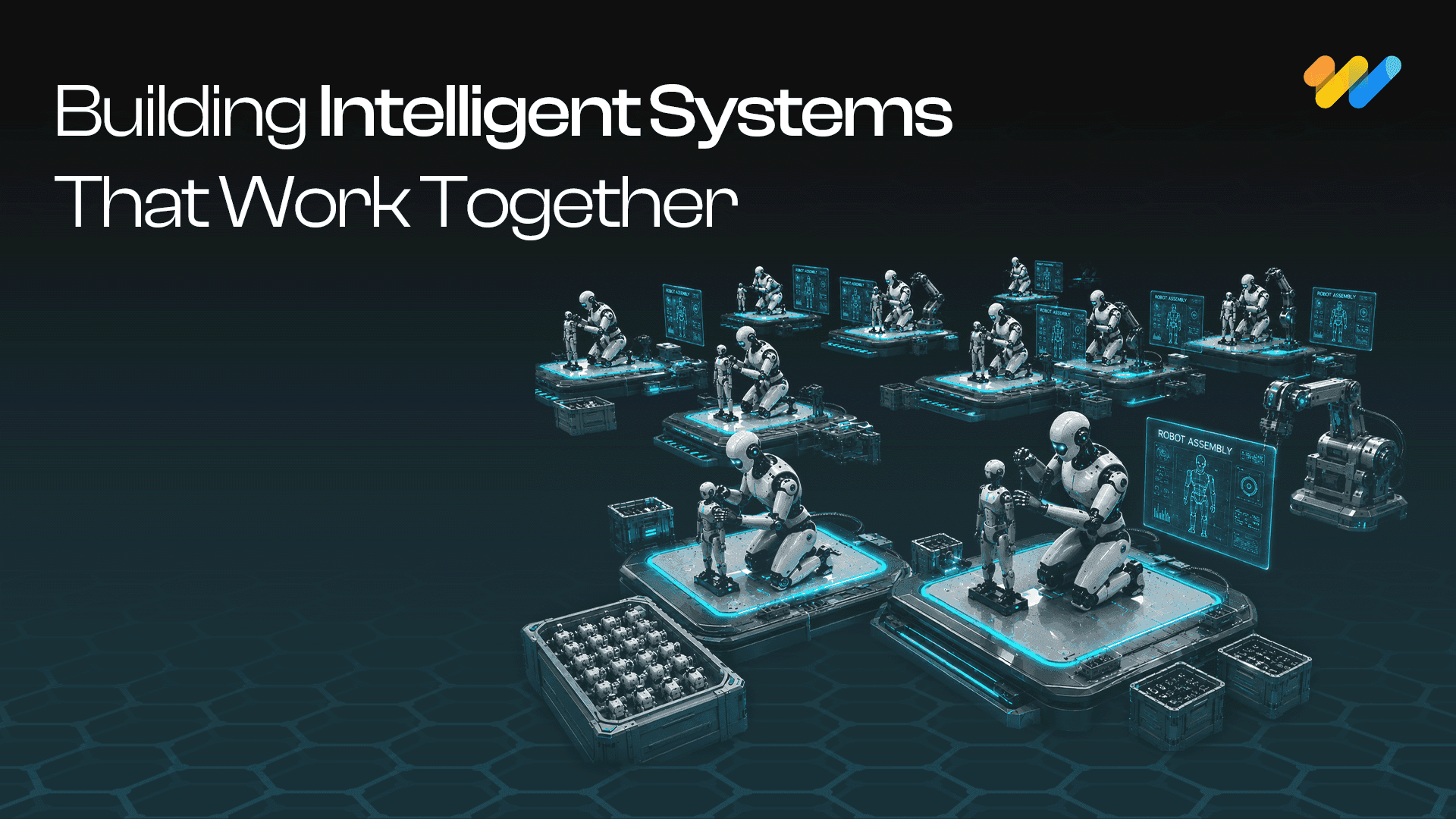
Multi-agent systems make sense when a problem has clearly separable sub-problems that benefit from specialization. A competitive intelligence pipeline, for example, might use an orchestrator agent that kicks off three parallel agents: one analyzing competitor pricing, one reviewing press releases and one querying internal win/loss data. The orchestrator synthesizes their outputs into a weekly briefing. A well-designed multi-agent system handles genuinely parallelizable workloads well. A poorly designed one introduces cascading errors and multiplying costs. Reach for this pattern only when you have both the use case and the operational maturity to manage it.
Human-in-the-loop workflows are the right choice whenever the agent is making decisions with significant financial, legal or customer-relationship consequences. An accounts payable agent that handles invoices under $5,000 autonomously, flags invoices between $5,000 and $50,000 for one-click approval and routes anything larger to the CFO is a practical example. The human checkpoint is not a failure mode here. It is a deliberate design decision that should be built in from the start.
Governance: What Separates a Prototype From a Production System
Most teams that build an impressive demo and then struggle six months later have the same problem: they treated governance as an afterthought.
A production-ready AI agent for business needs an audit log that captures every invocation, every tool call and every escalation. It needs defined escalation conditions expressed as explicit rules, not feelings. "Escalate when confidence falls below 0.7" is a rule. "Escalate when unsure" is not.
Data access should follow the principle of least privilege. The agent reads what it needs and nothing more. Sensitive fields are masked before being passed to the model. API keys live in a secrets manager, not in your system prompt.
Pin to specific model versions in production. When a model provider updates their underlying model, your agent's behavior can change without you touching a single line of configuration. Test new versions in staging before promoting them. Never let model updates roll automatically into a live agent.
The teams winning with AI agents right now are not always running the most sophisticated technology. They started early, built deliberately, monitored consistently and treated governance as a feature of the product rather than a box to check before launch.
Where to Go From Here
Building your first agent is simpler than the landscape of tools and terminology makes it look. The real work is not technical. It is the clarity that comes before you write a single instruction: knowing what the agent owns, what it cannot touch and what a good output actually looks like. Get that right and the build follows naturally. If you are ready to move beyond a first agent and want help designing a multi-agent system or an enterprise governance framework, that is a conversation worth having sooner rather than later. The production readiness checklist in this guide is a reasonable measure of where you stand today.
AI Data Centers & the Energy Challenge
A closer look at how data centers consume power and manage rising cooling demands.